Photo performance
Recast a specific solo or duo performance. Choose the scene first, then assign the lead and support roles.
Plan this formatExplore an AI rap video generator workflow for photo performances, original verses or your own track. Build a local creative brief, then choose a making guide.
Local brief builder · Video generation is not connected
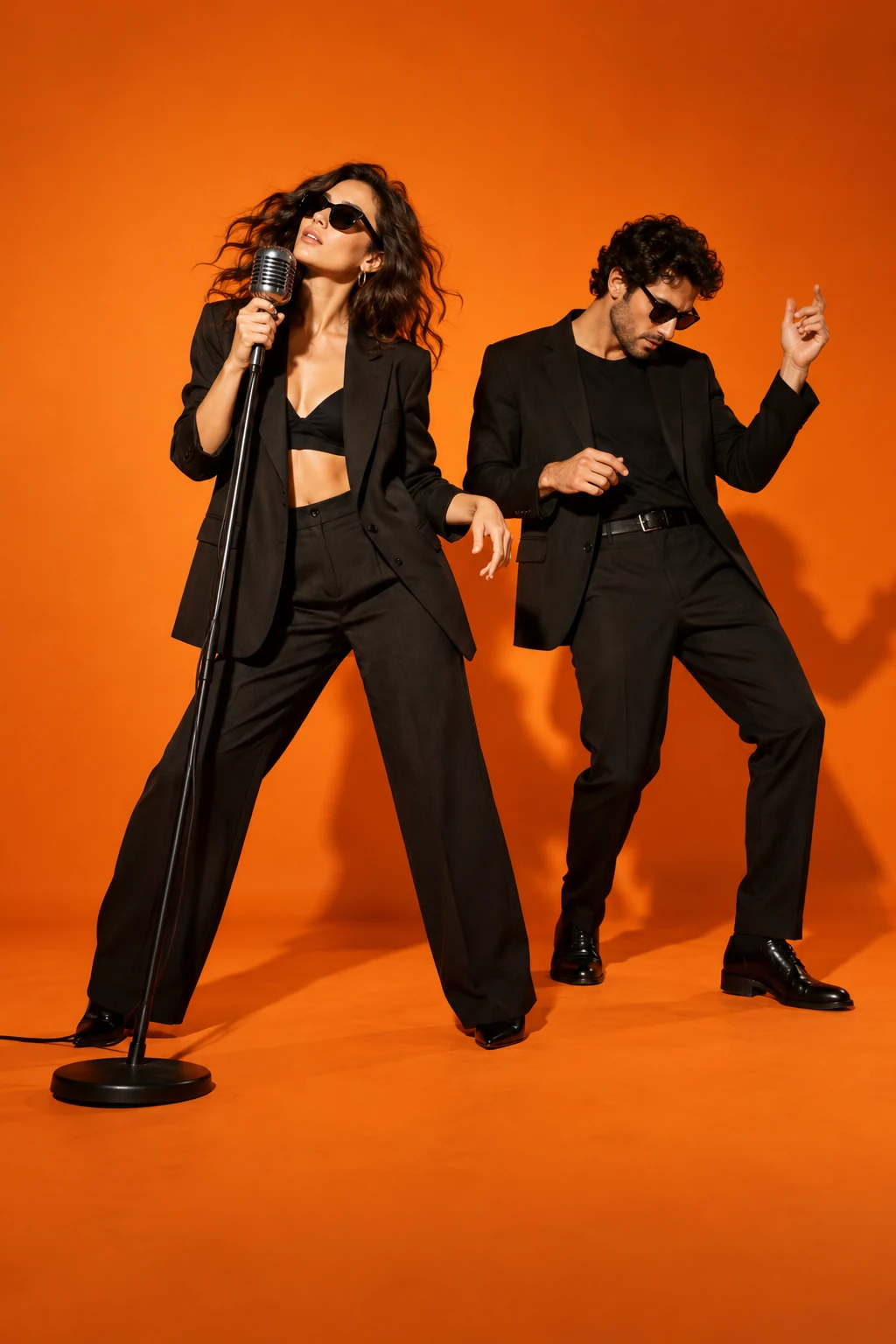
A recognizable performer delivering a cleared verse with beat-led gestures and verified lip sync.
Rap is an audio-conditioned performance task; silent head movement is not a complete rap video.
Establish the selected solo performer and stage.
Deliver the audio excerpt with controlled rhythmic gestures.
Check word-level mouth timing before assembling an MV.
This production plan was inferred from public examples and descriptions. It is not a tested generator or a recovered competitor prompt. Rendering stays paused until its assets and workflow pass visual review.
Pick a reference performance, an original verse or a track you already have. Each starts with a different brief.
Recast a specific solo or duo performance. Choose the scene first, then assign the lead and support roles.
Plan this formatStart with a topic or lyrics. Approve the words and an actual vocal track before planning the performer and camera.
Plan this formatBring your own recording. Plan short shots around its beat, mixing performance with supporting visuals.
Plan this formatChoose a format and add a short direction. Prepare, copy or download a text brief here; render the video in a separate workflow.
An AI rap video can mean three different projects. You might want to replace performers in a recognizable scene, write a new verse around a birthday or friendship, or make visuals for a recording you already have. Choose the project before choosing a model. A reference remake depends on movement and role assignment; an original performance needs an actual vocal track; a music video needs a shot plan. This page helps you prepare that direction and connect it to a relevant guide.
For a rap video from photos, choose clear, unobstructed portraits and decide who leads, supports or trades lines. Two separate pictures can describe two performers, but they do not establish their positions or guarantee consistent identities. Label the roles and review a composed starting frame. A group photo needs equally clear faces. Hotel Lobby uses a two-person orange performance setting; Bulin 47 centres a selected lead in a busier scene. Those tasks need different references and checks, even when both begin with portraits.
An AI rap video generator workflow can begin with a short topic or your own lyrics. Describe the occasion, tone and one memorable detail, then review the verse before producing vocals and a beat. Listen to the actual recording before planning the picture: lyric length, pauses and delivery determine the performance. Our brief builder records your direction, but does not compose or synthesize audio. Keep the performer consistent across shots and use a separate lip-sync stage when your chosen video workflow cannot follow the recording reliably.
For a track you already control, mark a short section and its important beats before generating scenes. An AI rap video generator may create imagery without following every lyric or matching a mouth to a voice. Decide whether you need a visible performance, supporting visuals or both. Give each shot one readable action, then review faces, hands and continuity. Assemble the strongest clips against the recording, check lyric captions manually and keep instrumental, vocal and final export files distinct while editing.
Judge an AI rap video by the whole clip rather than one attractive frame. Check whether the right person delivers each line, whether the other performer reacts naturally and whether faces remain recognizable through turns and flashes. Fast delivery can expose mouth errors; layered vocals can confuse speaker assignment. Review scene transitions, aspect ratio and caption placement on a phone. The examples here are concept artwork. Use the downloadable brief in a separate generation and editing workflow, and inspect its actual output before publishing.
Hotel Lobby AIPlan a Hotel Lobby AI orange-studio duet. Prepare two portraits, map the left and right performers and describe their coordinated scene in a prompt recipe.
Bulin 47 AIPlan a Bulin 47 AI street-freestyle scene. Prepare a clear subject photo and permitted movement reference, then describe the performance in a prompt recipe.
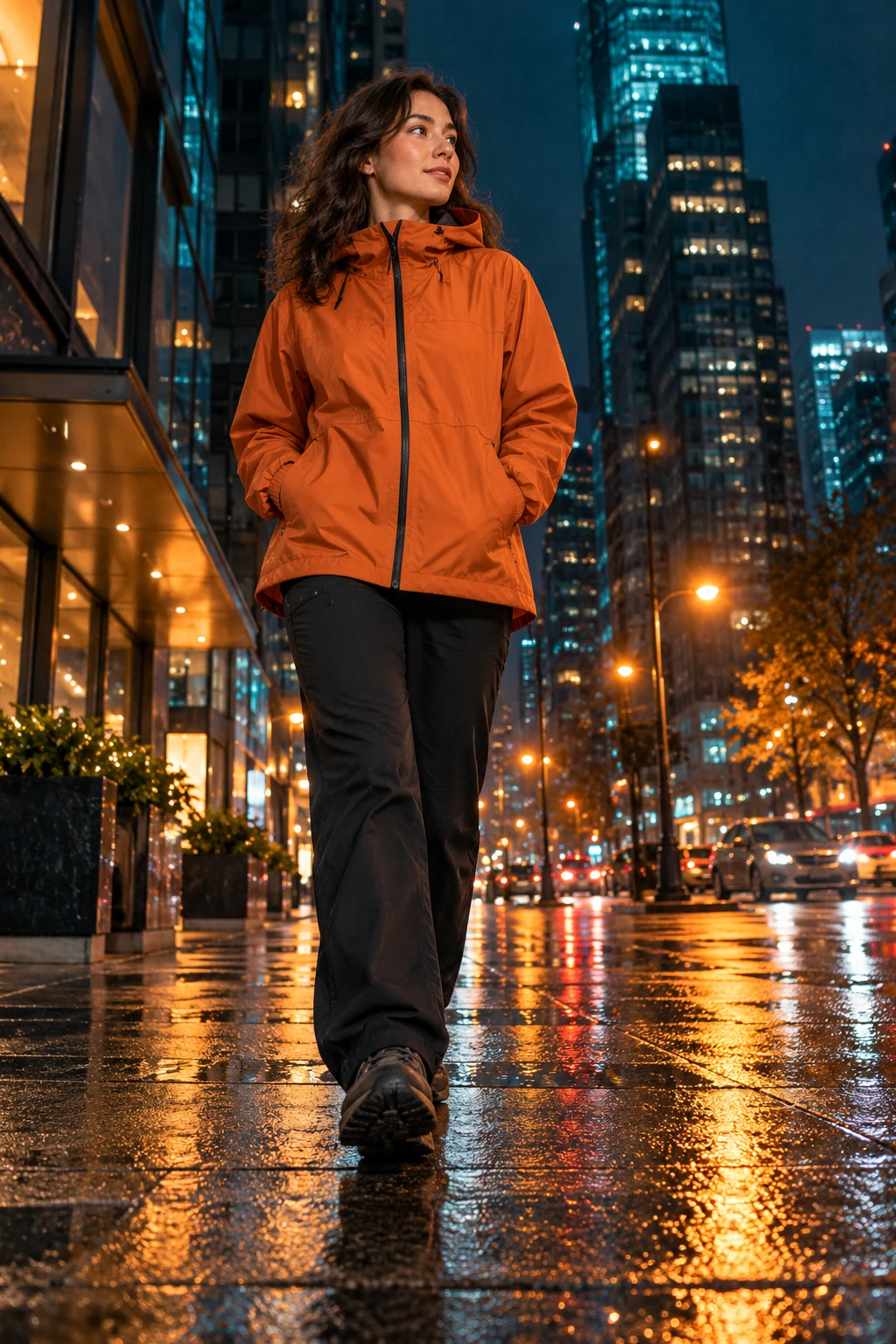 Popstar Hallway
Plan a Popstar AI Video hallway performance. Prepare a suitable portrait and describe a controlled walk, confident pose and camera movement in your recipe.
This page prepares a text brief locally. Video rendering, music generation and lip-sync are not connected. You can choose a workflow, download its direction and use the related guides to prepare your next steps.
Plan two clear identities and assign each performer a role. A duo also needs reference timing, interaction and separate voice assignment where appropriate. The Hotel Lobby guide explains that specific two-person scene.
Yes, describe your own lyrics or recording in the brief. This builder does not accept audio files or generate vocals. Prepare an audio source you can use and review timing in your chosen production workflow.
Hotel Lobby is one specific performance format. The broader phrase also covers original solo verses, duos and edited music videos. Choose a reference remake when you want that particular orange-stage scene.
A plain text plan with your chosen mode, topic, frame shape, suggested inputs and review checklist. It contains no photos, generated sound or video. Editing a topic refreshes the plan when you prepare it again.
Public pages checked on 23 October 2026 to compare workflows. Listings do not verify generation quality, demand size or sales.