照片表演
重演指定的单人或双人表演。先选场景,再分配主唱与配角。
规划这个版本Explore an AI rap video generator workflow for photo performances, original verses or your own track. Build a local creative brief, then choose a making guide.
本地制作 brief · 尚未接入视频生成
人物对着获准的说唱音轨表演,手势跟节拍,口型对应歌词。
说唱必须考虑音频与口型,无声晃头不等于完整 Rap 视频。
建立指定单人表演者及舞台。
用克制的节拍手势完成音轨片段。
逐句检查口型,再拼接完整 MV。
这份制作方案根据竞品公开示例和说明反推,是我们编写的分阶段配方。它不是已实测生成器,也不是竞品私有提示词。素材和流程通过效果验收前暂停生成。
选择参考表演、原创歌词或已有音轨,不同任务需要不同制作 brief。
选择版本并填写简短方向,在这里制作、复制或下载文本 brief,再到独立工作流制作视频。
An AI rap video can mean three different projects. You might want to replace performers in a recognizable scene, write a new verse around a birthday or friendship, or make visuals for a recording you already have. Choose the project before choosing a model. A reference remake depends on movement and role assignment; an original performance needs an actual vocal track; a music video needs a shot plan. This page helps you prepare that direction and connect it to a relevant guide.
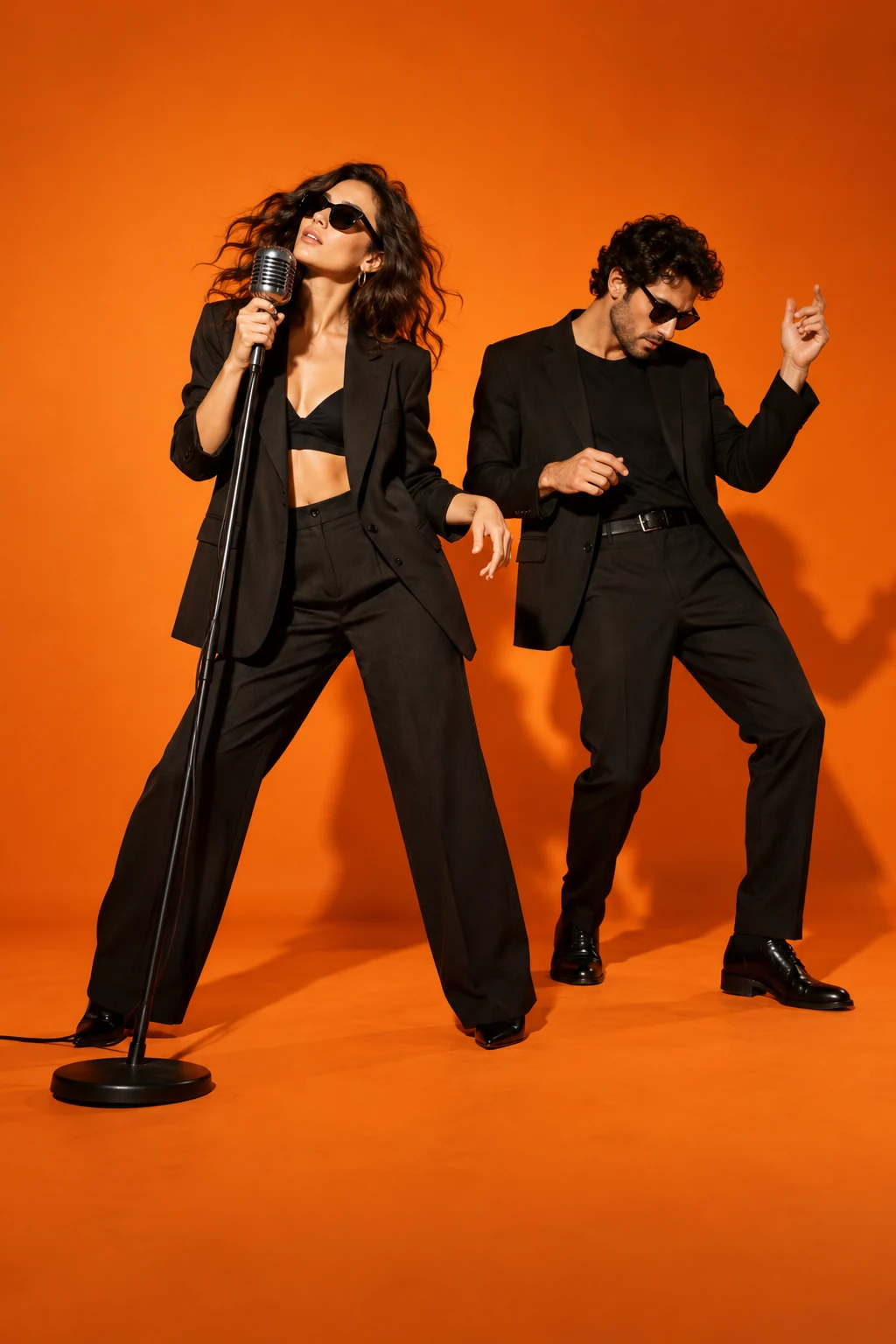
For a rap video from photos, choose clear, unobstructed portraits and decide who leads, supports or trades lines. Two separate pictures can describe two performers, but they do not establish their positions or guarantee consistent identities. Label the roles and review a composed starting frame. A group photo needs equally clear faces. Hotel Lobby uses a two-person orange performance setting; Bulin 47 centres a selected lead in a busier scene. Those tasks need different references and checks, even when both begin with portraits.
An AI rap video generator workflow can begin with a short topic or your own lyrics. Describe the occasion, tone and one memorable detail, then review the verse before producing vocals and a beat. Listen to the actual recording before planning the picture: lyric length, pauses and delivery determine the performance. Our brief builder records your direction, but does not compose or synthesize audio. Keep the performer consistent across shots and use a separate lip-sync stage when your chosen video workflow cannot follow the recording reliably.
For a track you already control, mark a short section and its important beats before generating scenes. An AI rap video generator may create imagery without following every lyric or matching a mouth to a voice. Decide whether you need a visible performance, supporting visuals or both. Give each shot one readable action, then review faces, hands and continuity. Assemble the strongest clips against the recording, check lyric captions manually and keep instrumental, vocal and final export files distinct while editing.
Judge an AI rap video by the whole clip rather than one attractive frame. Check whether the right person delivers each line, whether the other performer reacts naturally and whether faces remain recognizable through turns and flashes. Fast delivery can expose mouth errors; layered vocals can confuse speaker assignment. Review scene transitions, aspect ratio and caption placement on a phone. The examples here are concept artwork. Use the downloadable brief in a separate generation and editing workflow, and inspect its actual output before publishing.
Hotel Lobby AI橙色录音棚、悬挂麦克风、双人表演:主唱说唱,搭档呼应。
Bulin 47 AI替换街头 freestyle 主角,保持表演手势、人群关系和原有节奏。
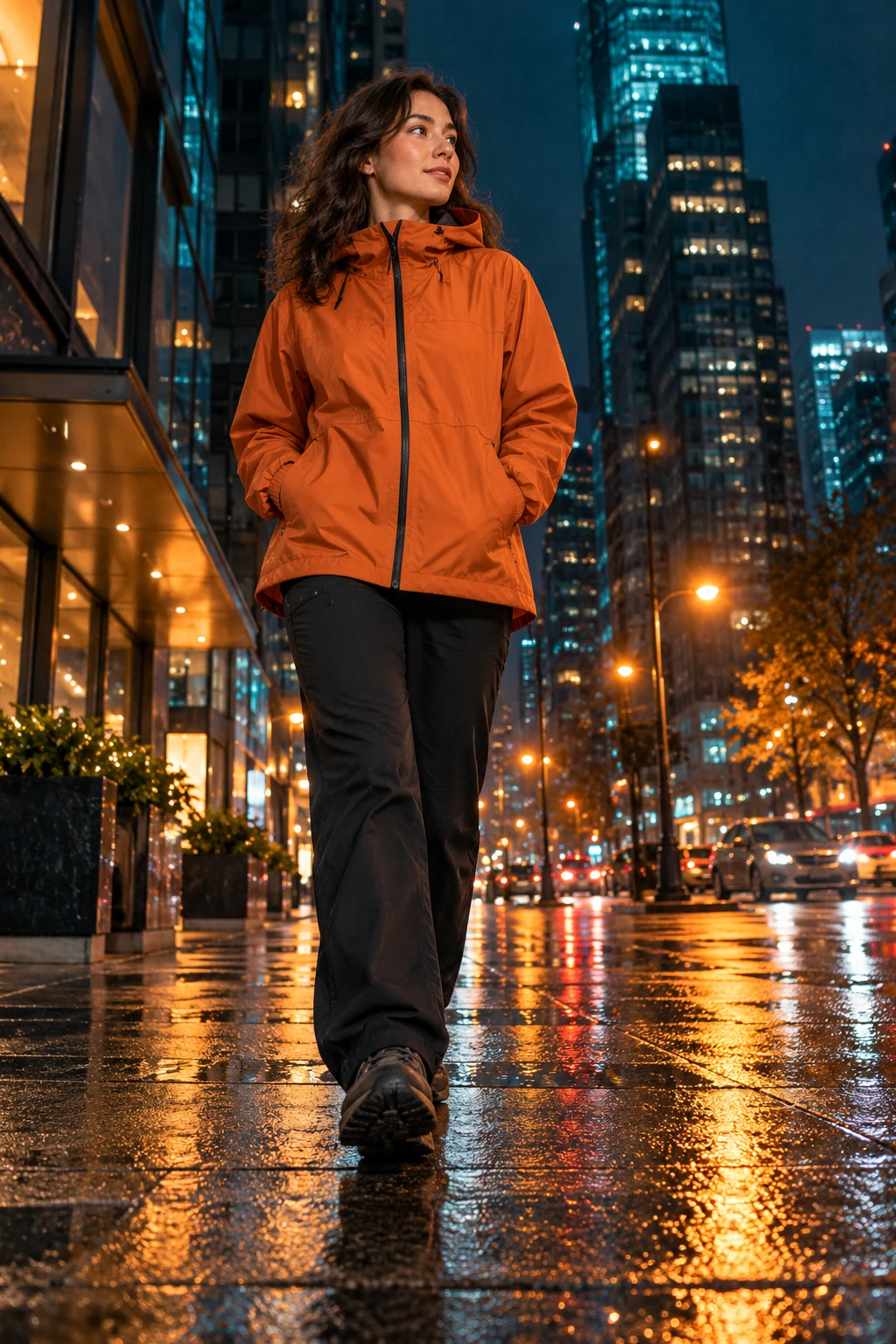 Popstar Hallway
豪宅派对走廊中,主角在随行人群前边走边表演,镜头后退跟拍。
This page prepares a text brief locally. Video rendering, music generation and lip-sync are not connected. You can choose a workflow, download its direction and use the related guides to prepare your next steps.
Plan two clear identities and assign each performer a role. A duo also needs reference timing, interaction and separate voice assignment where appropriate. The Hotel Lobby guide explains that specific two-person scene.
Yes, describe your own lyrics or recording in the brief. This builder does not accept audio files or generate vocals. Prepare an audio source you can use and review timing in your chosen production workflow.
Hotel Lobby is one specific performance format. The broader phrase also covers original solo verses, duos and edited music videos. Choose a reference remake when you want that particular orange-stage scene.
A plain text plan with your chosen mode, topic, frame shape, suggested inputs and review checklist. It contains no photos, generated sound or video. Editing a topic refreshes the plan when you prepare it again.
2026 年 10 月 23 日核对公开页面以比较工作流;产品页面不能证明成片质量、需求规模或销量。