Skip to content
Music & scenes

Hotel Lobby AI Guide

Plan a Hotel Lobby AI orange-studio duet. Prepare two portraits, map the left and right performers and describe their coordinated scene in a prompt recipe.

2 photos 16:9 or 9:16 · production planMulti-stage storyboard

Plan your version locally. Live video generation is not connected.

A scene worth making yours.
Bring the subject. We’ll help you prepare the direction.

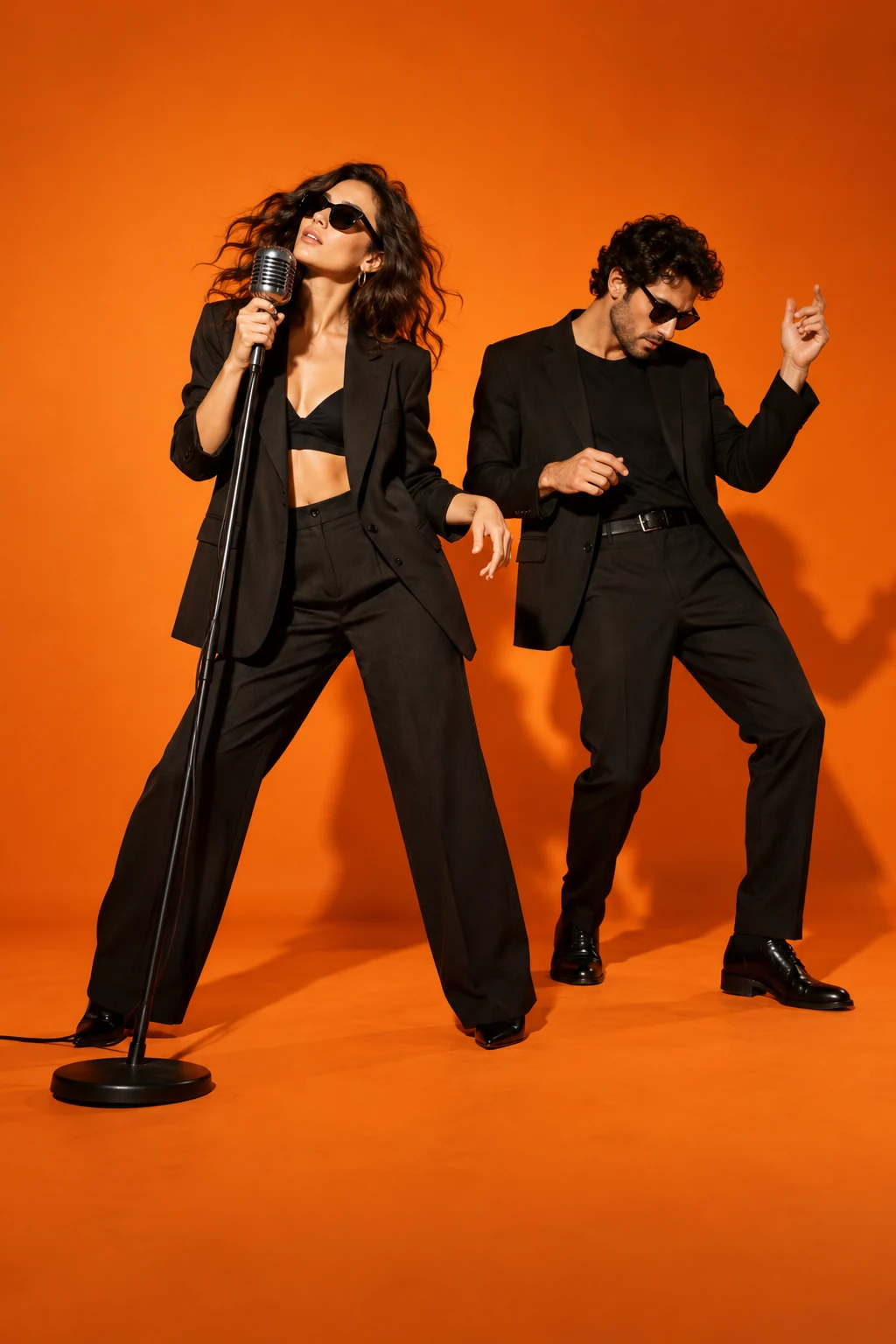
Concept artwork for Hotel Lobby AI; not a generated video example
CONCEPT ARTWORKMusic & scenes
Hotel Lobby AIYOUR NEXT
MAIN CHARACTER
MOMENT.
THE INPUT2 labelled subject photos

JPEG, PNG or WebP. Up to 10 MB each.

THE APPROACHBuild a connected sequence

Review the scene and transition carefully.

THE FORMAT16:9 or 9:16

10–12 seconds around a permitted excerpt. Design target, not a current generation quote.

THE ACTUAL EFFECTRECIPE V2 · 16:9 or 9:16

What Hotel Lobby AI should look like

Two performers in an orange booth: the lead raps and the partner hypes at a hanging microphone.

Hotel Lobby names the music-performance setup, not a hotel reception scene.

The recognizable sequence

  1. 01

    Establish A left and B right at the hanging microphone.

  2. 02

    A delivers the verse; B nods and provides brief hype responses.

  3. 03

    Finish with both identities distinct and microphone stable.

What this effect needs before generation
  • Two-identity orange-booth composition and role-labelled performance reference.
  • Cleared track with separate lead/hype mouth timing.

What a finished result must pass

  • The plain orange stage is recognizable.
  • Lead and hype mouths follow their assigned sections.
  • Faces and hands do not merge at the microphone.

This production plan was inferred from public examples and descriptions. It is not a tested generator or a recovered competitor prompt. Rendering stays paused until its assets and workflow pass visual review.

1

Assign your Hotel Lobby AI duo

Hotel Lobby AI is a duet format with two performers, a strong studio color and a central performance space. The appeal comes from seeing a recognizable pair share the frame. Assign each person to the left or right before preparing a generation. The microphone belongs to the composition rather than either identity. A wide preview helps you see whether both faces have enough space, particularly when the camera moves closer or one performer leans toward the middle of the shot.

2

Prepare two Hotel Lobby AI portraits

Upload two separate, well-lit photos with one adult in each. They do not need to have been taken together. Similar portrait angles and visible shoulders make the intended casting easier to understand. Avoid a photograph containing several possible faces, because it leaves the role assignment ambiguous. Write which person stands left or right in the creative direction. The studio labels photos A and B. Use Swap subjects A and B to change that order before exporting the recipe.

3

Frame your Hotel Lobby AI performance

Landscape framing gives two people and a shared microphone room to breathe. Vertical framing can work for a tighter social edit, but it needs a composition designed for both subjects. Cropping a wide reference without checking the edges can remove a performer. The Hotel Lobby AI generator recipe records your chosen aspect ratio; the concept poster does not change framing. Keep the orange-studio treatment consistent while testing identity, then evaluate other settings separately instead of changing the entire scene and cast together.

4

Review both Hotel Lobby AI identities

The most demanding moments often occur when two performers move toward one another or cross their arms near the center. Watch for swapped faces, merged clothing and a microphone that changes shape. Review both people throughout the scene; a strong result for the left performer does not compensate for an unstable right performer. The reference guides rhythm and camera direction, while the model interprets the scene. Exact lip synchronization, original gestures and persistent facial likeness need actual testing with the selected provider.

5

Finish the edit with clear expectations

A Hotel Lobby AI brief should specify both roles, the chosen aspect ratio and the intended audio treatment. The concept artwork illustrates a scene; it is not a finished video example. Do not assume the song or original recording comes with permission to reuse it. Select an authorized soundtrack or add platform-available sound when sharing. Before publishing, play the entire duet with audio enabled and inspect the ending. Save the completed file, rather than relying on a preview image or a task status alone.

BEFORE THE SPOTLIGHT

A few good
questions.

How many photos does Hotel Lobby AI use?

Use two photographs, one adult per image. Specify their left and right positions in the creative direction.

Should I choose landscape or vertical?

Landscape gives the Hotel Lobby AI pair more room. Vertical needs a composition that keeps both performers in view.

Is precise lip sync guaranteed?

No. The page describes a reference-guided visual duet; lip movement requires testing with the chosen model.

Can I reverse the performers?

Write the reversed roles in the creative direction. There is no swap button; remove and reselect photos to change their order.

RESEARCH REFERENCES

Public competitor pages inspected on 23 October 2026. These references show how the effect is offered; they do not verify popularity or generated quality.

Hotellobby.net Hotellobby.ai