Skip to content
Music & scenes

Raindance AI Guide

Plan a Raindance AI waterside duet. Prepare two portraits and describe alternating camera attention, performance roles and a cinematic pier setting in your recipe.

2 photos 9:16 target · production planMulti-stage storyboard

Plan your version locally. Live video generation is not connected.

A scene worth making yours.
Bring the subject. We’ll help you prepare the direction.

Concept artwork for Raindance AI; not a generated video example
CONCEPT ARTWORKMusic & scenes
Raindance AIYOUR NEXT
MAIN CHARACTER
MOMENT.
THE INPUT2 labelled subject photos

JPEG, PNG or WebP. Up to 10 MB each.

THE APPROACHBuild a connected sequence

Review the scene and transition carefully.

THE FORMAT9:16 target

About 12 seconds planned; use quiet shot changes. Design target, not a current generation quote.

THE ACTUAL EFFECTRECIPE V2 · 9:16 target

What Raindance AI should look like

Two quiet music-video roles on a golden pier: one listens while the other performs to lens.

Raindance is not a rain-weather dance effect; role and composition matter.

The recognizable sequence

  1. 01

    A sits and listens while B faces the lens.

  2. 02

    Let B perform gently as the camera approaches.

  3. 03

    Resolve a shared shot or a reference-led turn of attention.

What this effect needs before generation
  • Two-identity pier composition and approved quiet-performance reference.

What a finished result must pass

  • The pier, water and golden light are evident.
  • Listener and performer roles stay distinct.
  • Silent visual singing is not labelled verified lip sync.

This production plan was inferred from public examples and descriptions. It is not a tested generator or a recovered competitor prompt. Rendering stays paused until its assets and workflow pass visual review.

1

Cast your Dave Tems Raindance AI duet

Raindance AI is planned as a waterside duet with warm light, a calm camera and two people sharing attention. The scene should feel personal rather than crowded. One subject can face the lens while the other listens, then the visual focus changes. Before selecting photos, decide who leads the first moment. This is different from a synchronized dance: the relationship between the two roles and the camera is the central idea, with the pier and water providing a consistent setting.

2

Choose your Raindance AI portraits

Choose one clear photograph for each adult, preferably facing forward with the shoulders and upper body visible. Empty hands and an unobstructed face give the scene fewer competing details. Photos from different locations can still define the pair in the proposed waterside setting. Check both Raindance AI input cards before proceeding. A heavily filtered selfie beside an unedited portrait may lead to uneven appearance, so use photos with reasonably similar lighting and natural facial detail.

3

Light the Raindance AI pier scene

Begin with the golden-hour pier scene to evaluate identity and camera movement. Rain, reception lights or a different time of day are separate creative treatments that need their own tested reference. Too many atmospheric requests can hide the faces this duet depends on. For a Raindance AI generator recipe, write the pier setting and first camera role into the editable creative direction. Swap A and B to change roles; edit the scene in your direction. Review the composition in the chosen format rather than assuming a wide scene will survive a vertical crop.

4

Review your Raindance AI duet

Slow footage can reveal identity drift that fast motion hides. Watch both faces as the camera approaches and the performers turn toward each other. Check that their clothing and relative positions stay coherent, and that the pier does not change shape between shots. A soft singing expression is a visual direction rather than a guarantee of exact lip sync. If the facial performance is distracting, a quieter portrait-style take may communicate the same waterside duet with fewer moving elements.

5

Choose audio for your Raindance AI scene

The Raindance AI scene name points to a recognizable music-video idea, but a generated visual does not supply permission to use a recording. The planned brief keeps soundtrack handling separate from the photos and scene. Add an authorized track, or use sound available through your destination platform. Before sharing, check the entire export, make clear that it is synthetic, and confirm that both people agreed to appear. A concept preview is a framing guide, while only a labeled actual result demonstrates a completed generation.
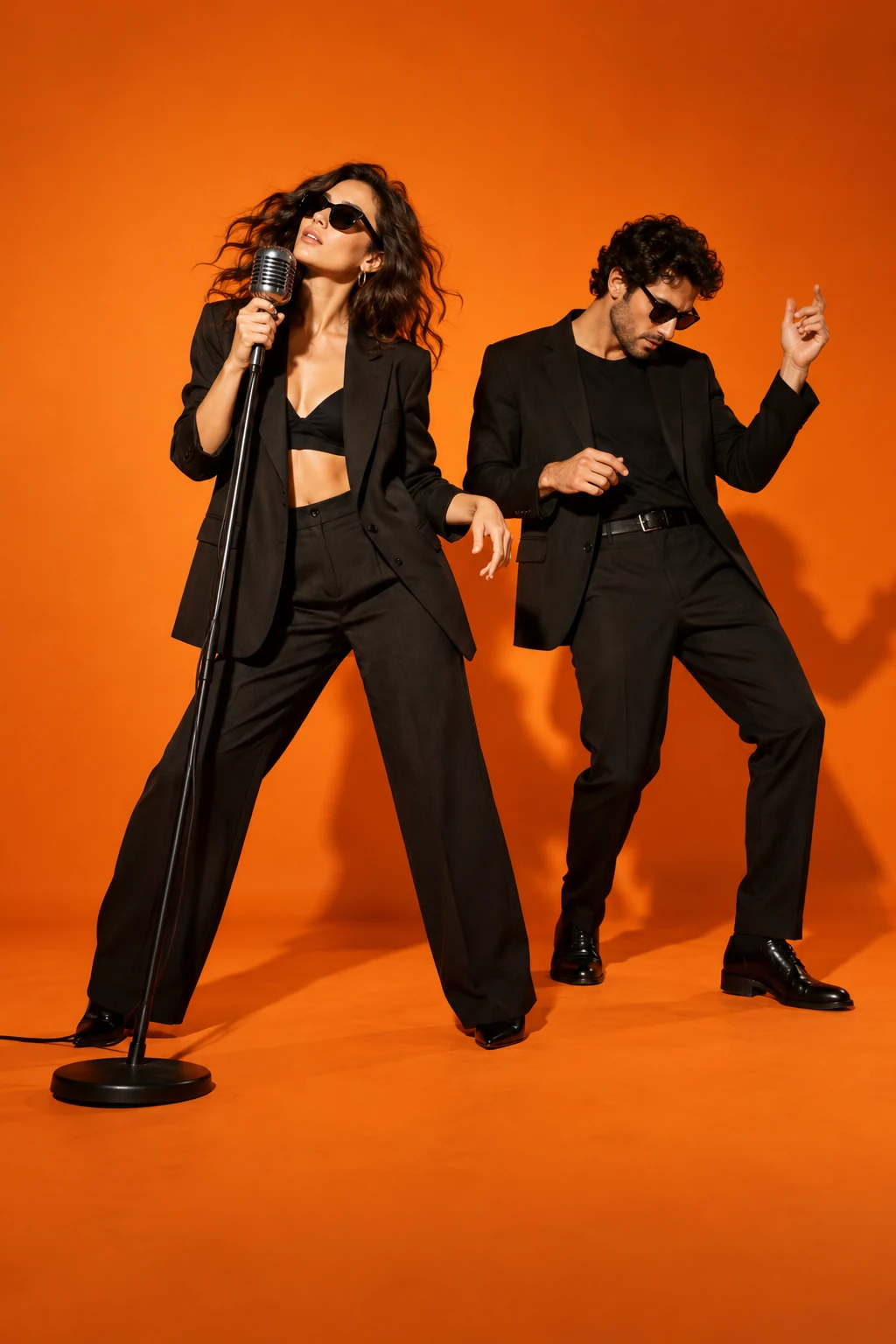
BEFORE THE SPOTLIGHT

A few good
questions.

How many photos does Raindance AI use?

Use two single-subject adult photos. Write each person’s performance role into the creative direction; photo order alone does not describe who sings first.

Who faces the camera first in Raindance AI?

Choose that in your creative direction by naming the leading subject. There is no role-swap control; remove and reselect photos to change their order.

Does the Raindance AI generator guarantee singing lip sync?

No. A calm vocal-style performance is a visual intention; precise lip sync requires separate provider testing.

Is the Raindance AI trend newly discovered?

The local research snapshot records a September burst. This page treats it as an existing format, with recent growth unverified.

RESEARCH REFERENCES

Public competitor pages inspected on 23 October 2026. These references show how the effect is offered; they do not verify popularity or generated quality.

Raindance-ai.org Raindanceai.org 哥飞词条