Independent guide · English edition · Published · Updated
Pika H3 Flex vs MiniMax H3: Open Weights and Hosted Extras
Compare Pika H3 Flex vs MiniMax H3 across local adapters, hosted finishing, sampling, audio and licensing. Choose a workflow without confusing their capabilities.
VideoTrendKit does not host or run Pika H3 Flex. This independent guide is not an official Pika publication. Our studio offers separate photo-to-trend templates: choose an available effect and upload only subject photos; no prompt, audio, video or material URL is required.
Pika H3 Flex vs MiniMax H3: the relationship
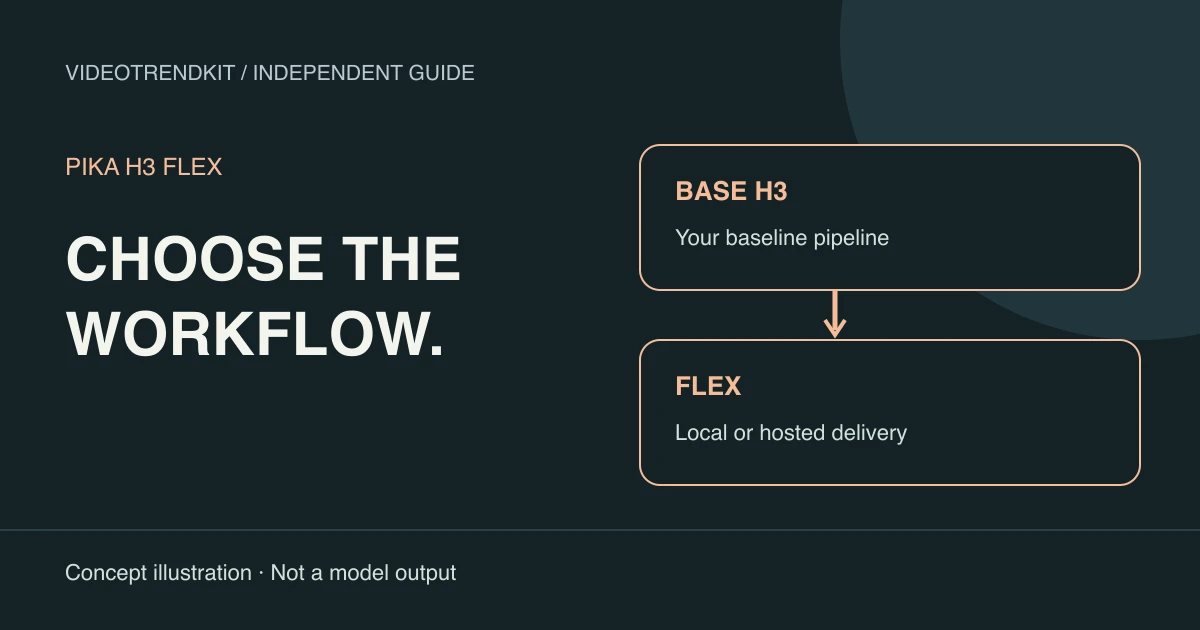
Pika H3 Flex vs MiniMax H3 is a comparison between an adapted workflow and its base model, with a hosted service layered alongside. Flex is post-trained from H3; it is not an unrelated replacement architecture. That relationship explains both the reused components and the continuing license obligations.
There are really three choices: operate the local Flex release, call Pika’s hosted Flex service, or work with base H3. Ask separately about the sampling path, the delivery features and who operates the hardware. Combining all three into one “best model” score hides the decision you need to make.
The table summarizes documented differences rather than results from a controlled quality test. We have not generated a side-by-side validation set. Cells that depend on a deployment stay qualified rather than inheriting features from another column.
Pika-Labs model card and open weightsPika launch article — October 29, 2026
Compare local Flex, hosted Flex and base H3
Use this as a deployment checklist. Hosted finishing and stem extraction are service stages, while the adapter and sampling schedule are model-level choices. A local pipeline can include additional tools, but those additions are not capabilities supplied by the Flex download itself.
| Decision | Local Flex | Pika-hosted Flex | MiniMax H3 base |
|---|---|---|---|
| Model relationship | H3 base plus a matching Flex adapter | Pika-operated adapted model and services | The underlying H3 model family |
| Sampling | Released six-step schedule | Managed serving; latency depends on request | Base schedule; not the Flex six-step adapter path |
| Resolution | Native 480p / 768p | Native draft plus 1080p / 2K / 4K finishing | Check the selected base pipeline; no automatic Flex finishing service |
| Audio delivery | Mixed synchronized stereo | Mixed audio and optional separate stems* | Check the base workflow; Flex hosted stems are not implied |
| References | Mode-specific; Ref2VA up to 12 total | Check chosen endpoint and input rules | Check the selected base task and implementation |
| Operations | You manage files, compute and inspection | Service handles compute; you manage requests and results | You manage the base-model runtime or chosen deployment |
| License review | MiniMax H3 Community License | Review applicable service terms and model-use conditions | MiniMax H3 Community License for the works |
Pika-Labs model card and open weightsOfficial ComfyUI workflow tutorialPika product specifications and FAQMiniMax H3 Community License — full text
When to investigate local Flex
Choose this path to investigate when reproducible file versions, explicit settings or your own application logic matter. Keep a record of the base revision, adapter, reference set and runtime. This makes a failed shot easier to debug than an isolated exported video.
The shorter schedule is useful for experimentation, but six steps do not prove a universal speedup on every card. Model loading, media encoding and decoding still take time. If the workflow exceeds memory, changing the prompt will not solve the capacity problem.
The ComfyUI guide in this series shows the matching files and sampler settings. Treat it as setup guidance, then validate the exact task you need rather than assuming every official showcase can be reproduced with a default graph.
Pika-Labs model card and open weightsOfficial ComfyUI workflow tutorial
When hosted finishing changes the decision
A team that needs a higher-resolution delivery file or separately editable audio may care more about service stages than access to weights. Check what the selected endpoint accepts, returns and charges before building the edit around its result. The local mixed soundtrack alone does not supply isolated dialogue.
Plan approval around the native draft before requesting finishing. Upscaling a shot does not establish that its identity, action or camera direction is correct. Inspect those choices at draft resolution, then verify that the finished file preserves the approved content.
Audio-stem counts disagree across Pika’s official pages, as the footnote explains. Do not promise an editor a particular track list from a launch headline. Confirm the response contract of the actual service first.
Pika product specifications and FAQPika launch article — October 29, 2026
When to keep a base H3 workflow
A base-model experiment makes sense when you specifically want to study the unadapted pipeline or compare changes against a known baseline. It also avoids silently swapping a validated workflow for a different sampling regime. The base run is a distinct experimental condition, not a slower setting of the Flex adapter.
The ComfyUI tutorial describes a base-template path using res_multistep and BasicScheduler, compared with Flex’s lcm and ManualSigmas. It also distinguishes the 50-step teacher used during distillation from practical base-template schedules. Do not label every H3 deployment “50 steps” without checking its configuration.
For a useful comparison, hold inputs, duration, resolution, hardware and evaluation criteria constant. Record full completion time and inspect both picture and sound. Until that test exists, claims about the best quality, best price or exact speed multiple would be speculation.
Official ComfyUI workflow tutorialPika launch article — October 29, 2026
When a photo-to-trend template is enough
If you want an available social-video effect rather than a configurable model pipeline, start with its real example and photo requirements. VideoTrendKit’s studio provides this template workflow. Choose an effect, review the displayed cost, upload subject photos and follow generation progress.
This does not grant access to Pika H3 Flex or MiniMax H3 through VideoTrendKit. The effect directory shows the features actually available here. Read the overview in this series for the model’s capabilities and license context, or the ComfyUI guide if you intend to operate it separately.
License checks before using the works
Not legal advice. The adapters are governed by the MiniMax H3 Community License, rather than a permissive license for unrestricted model use. Review the full agreement for your location, business and distribution plan before running or deploying the works.
The Applicable Territory excludes the United States (US), the European Union (EU), the United Kingdom (UK) and the Republic of Korea. The community agreement does not authorize use outside that territory; contact MiniMax about separate authorization rather than treating a downloadable file as permission.
Commercial products and services with yearly revenue greater than USD 20 million need prior written authorization from MiniMax. A commercial product or service using the works must prominently display “MiniMax H3” on its user interface. Revenue below the threshold does not remove the other conditions.
Outputs are not Model Derivatives under the agreement, but this does not erase the use restrictions, territorial conditions or responsibility for rights in the result. Hosted access also calls for review of the applicable service terms; a paid endpoint is not evidence of a blanket exception.
MiniMax H3 Community License — full textPika-Labs model card and open weights
Frequently asked questions
What does Pika H3 Flex vs MiniMax H3 compare?
Flex is Pika’s post-trained adaptation of the H3 base. The practical choice also depends on whether you operate the local files or use a hosted service with additional processing stages.
Is Flex a standalone model without H3 files?
No. The local workflow uses the H3 base components plus a matching Flex task adapter, encoder and decoders.
Does open-weight Flex include hosted 4K finishing?
No. The published native local resolutions are 480p and 768p. Pika’s higher-resolution finishing is a separate hosted capability.
Is base H3 always a 50-step run?
No universal runtime schedule follows from the teacher’s step count. Inspect your base pipeline; the official ComfyUI tutorial also describes a practical 20-step base-template path.
Which option has the best measured quality?
This guide does not provide an independent side-by-side benchmark. Compare the same tasks and settings and inspect the complete picture and soundtrack before making a quality claim.
Does using the Flex adapter remove MiniMax license conditions?
No. The adapters are Model Derivatives under the MiniMax H3 Community License. Review territorial, commercial authorization and UI attribution requirements in the full agreement. Not legal advice.
Can I use either model in VideoTrendKit?
VideoTrendKit does not offer Pika H3 Flex hosting or a model selector for these workflows. Its studio offers separate photo-to-trend templates.
First-party references
Reviewed November 6, 2026. Specifications and service offerings can change.