Paws At You AI · Your Pet Taps the Camera
Paws At You AI gives your pet a little tap on the camera. Upload one clear photo of your adult cat or dog to make a seated, front-facing clip with gentle repeated paw reaches. Your pet keeps its own fur and markings; this is not a snow-leopard makeover.
Make my pet tap the camera · 20One pet photo → a gentle paw tap
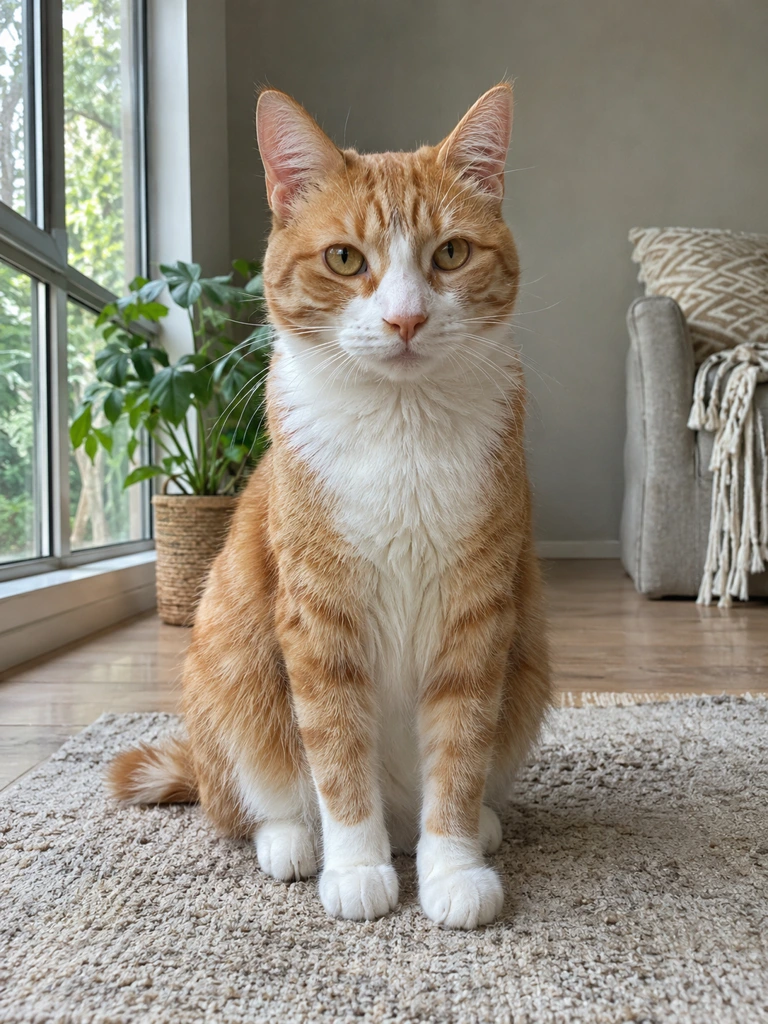
This paws at you ai test uses the fictional orange-and-white cat shown here. The same paw reaches forward around 1, 2.5, 4 and 5.5 seconds, then retracts. Fur markings stay recognizable; paw-pad detail softens during movement. This example verifies the cat result, not results for every dog.
The paws at you ai camera tap
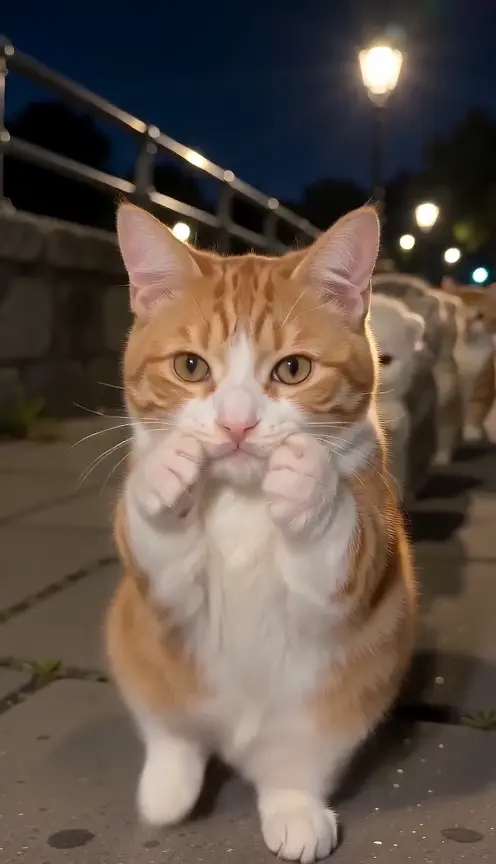
The pet sits facing the viewer, lifts one front paw, reaches toward the lens and draws back before repeating the gesture. The other front paw supports the body. A calm home setting keeps the attention on the face and paw, rather than a costume change or walking on two legs.
Choose a photo with both front paws
Use one adult cat or dog with a sharp face, both ears and both front paws visible. Natural window light works well. Keep other animals out of the frame and avoid blur, coverings or a tight crop that removes the paws. Your pet does not need to pose with a raised paw.
Make my pet tap the camera · 20Keep your pet recognizable
The photo guides species, fur color, facial markings and body proportions. The result should look like that pet, rather than an existing viral character. A moving paw can briefly cover the face, and fine fur or toe detail may soften. Review the whole clip before you decide to keep it.
Our paw-contact check
Watch whether the paw actually comes forward and becomes larger with perspective, pauses at the lens and then retracts. A static raised paw is not the same effect. Check that it remains a natural animal paw, with no extra leg, human fingers or disconnected wrist.
Make your pet video in three steps
Add one pet photo
Upload a permitted JPEG or PNG of your adult cat or dog. The frame should include the face, chest and front paws. No video or written prompt is needed.
Check the quote and generate
Sign in, review the displayed credits and click Generate once. Keep the page open to follow progress; checking status does not create another video.
Review and download
Watch the complete eight-second result. Save the MP4 you accept, add your own caption if wanted and label it as AI-generated when posting.
Questions before your pet taps
What does paws at you ai create here?
A photo-based pet camera-tap video: your cat or dog sits facing the lens and gently reaches with one front paw. Its own fur and markings guide the appearance.
Can I use either a cat or a dog?
The preset accepts one adult cat or dog. The reviewed example uses the fictional adult cat shown above; results with different pets and photo crops can vary.
What are the format and cost?
About eight seconds at 480p in vertical 9:16. The current quote is 20 credits. Always check the button before generating; new attempts spend credits again.
Does it include meme text or a song?
No text or licensed song is included. The preset requests quiet home ambience and soft taps. Add your own caption and permitted music after downloading.
What happens if generation fails?
A failed task returns its deducted credits through the task flow. Reviewing progress is free. A separately requested version uses credits again.