Skip to content
Walk & reveal

Paparazzi Walk AI Guide

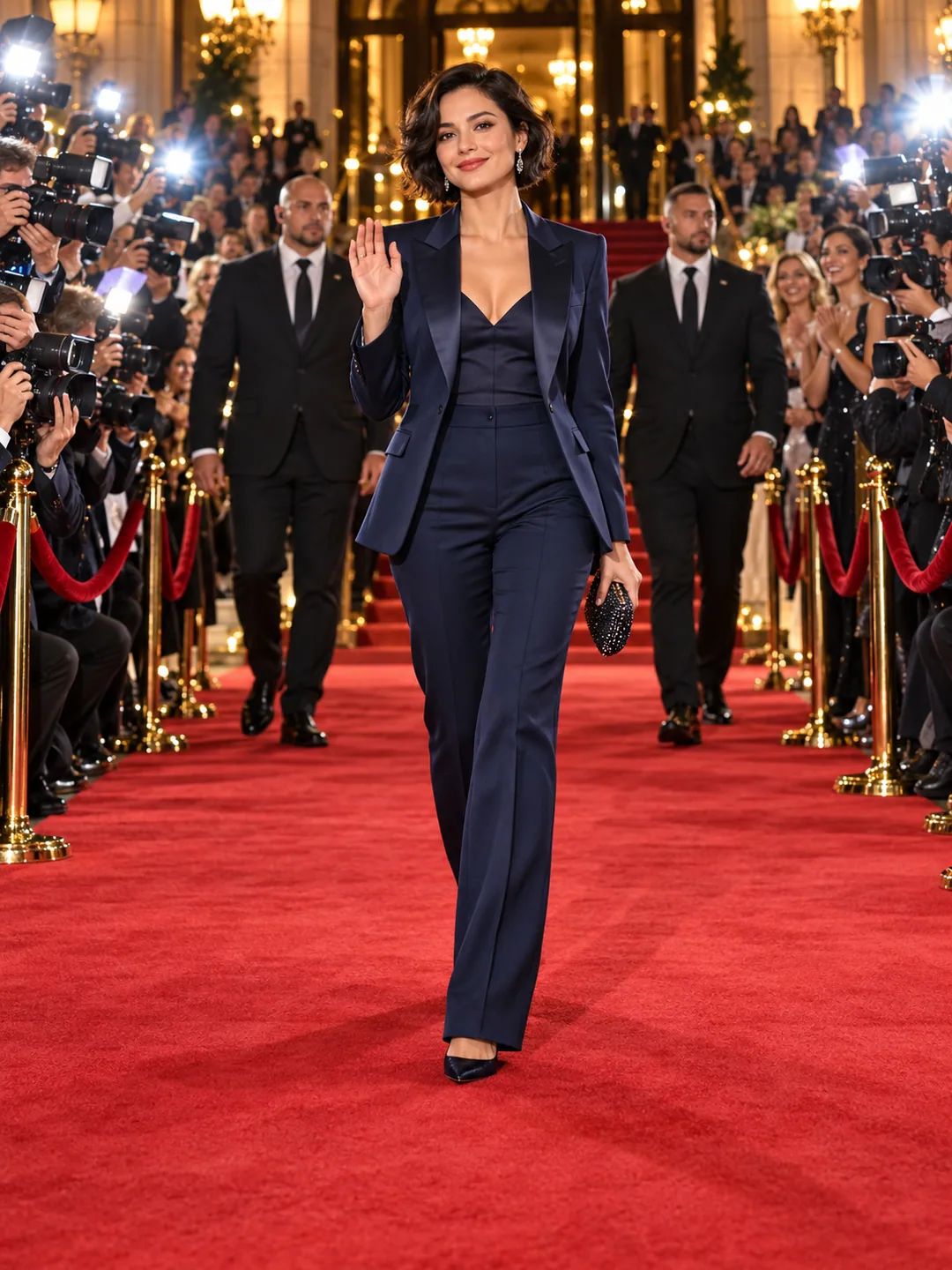
A confident event arrival through a crowd-cleared corridor, with press flashes and a greeting.

Create Paparazzi Walk AI · Beta

10 seconds · 480P · 9:16 · generated audio

Creates a new scene and performance for this template. Movement and likeness vary; the original song is not included.

Use a clear face with the upper body or full body visible. The template supplies the scene and actions.

Checking trial access…

Sign in to continue. Trial places are limited each day; check availability after signing in.

How long are my results saved?

Results use temporary links, normally available for up to 14 days and sometimes expiring sooner. Download anything you want to keep. We do not store a permanent copy.

Original concept artwork of an event arrival between press photographers, fans and security, not a generated video
CONCEPT ARTWORKWalk & reveal
Paparazzi Walk AIYOUR NEXT
MAIN CHARACTER
MOMENT.
Advanced text plan (optional)

Optional text planning only. This does not change the video generator above or use credits.

Paparazzi Walk AI

Replace the current workspace?

This replaces the current text edits. It does not change your selected photo or submitted video tasks.

About this effect & photo tips
THE INPUTOne clear subject photo

JPEG, PNG or WebP. Up to 10 MB each.

THE APPROACHFollow a movement reference

Keep the first version focused and simple.

THE FORMAT9:16

10 seconds · 480P · template beta Design target, not a current generation quote.

1

Plan your Paparazzi Walk AI arrival

Paparazzi Walk AI is an arrival scene: a person moves through a path of photographers, acknowledges the cameras and pauses for a pose. The planned template puts your chosen adult at the center of a made-up premiere. A clear walking direction matters more than a crowded background. Describe where the person enters, how the camera follows and where the final pose happens in your creative direction. Keep the event fictional and avoid a backdrop that implies attendance at an actual named ceremony.
2

Choose your Paparazzi Walk AI outfit photo

Use a clear photo with the face visible and enough of the body to describe the outfit. A knees-up or full-body image gives the walking scene more information than a tightly cropped selfie. Avoid sunglasses when the face is the main reason for the edit. If clothing is important, do not crop away the details you expect to keep. For your Paparazzi walk AI generator recipe, check the local photo preview and crop the image beforehand if the intended outfit or subject is unclear.

3

Give Paparazzi Walk AI three clear moments

The planned sequence moves forward, pauses in the flashes and finishes with a pose. A short, readable progression is easier to evaluate than an elaborate red-carpet story with many cuts. Keep photographers in supporting positions and leave a clear corridor around the subject. Choose the arrival environment before preparing the brief, then keep camera behavior consistent while testing a photograph. A scene with a car door or steps adds interaction and should be treated as another tested recipe, rather than an automatic variation.

4

Review Paparazzi Walk AI under the flashes

Strong lighting changes can make a face look different from frame to frame. Review the eyes, skin tone and clothing during the brightest flashes. Check the legs while walking and the hands during the final acknowledgment. Photographers should remain in the background rather than appearing to merge with the subject. Paparazzi Walk AI needs a full movement review, including the moment the person stops. A polished opening frame does not show whether the gait, final pose or camera tracking remains coherent.

5

Present the scene as an imagined moment

This template is a visual fantasy, not evidence that someone attended a premiere or received public attention. Camera shutters and crowd ambience can be designed separately from music, and any supplied recording needs an appropriate right to use it. The generator above creates a 10-second entrance with photographers, flashes and a backward tracking camera. Inspect the completed video and use a synthetic-media label when posting it.

BEFORE THE SPOTLIGHT

A few good
questions.

Can I generate paparazzi walk ai here?

Approved accounts can upload 1 photo(s) for a 10-second template video. Actions and audio are generated; the original song is not included. Review the finished result before sharing.

Is Paparazzi Walk AI based on a real event?

No. This design uses an unnamed fictional arrival scene and your authorized adult subject photo.

Which photograph shows the outfit best?

A sharp knees-up or full-body photo gives more clothing and Paparazzi Walk AI movement information than a close-up selfie.

Is this a confirmed new hotspot?

No. Current AI templates exist, but this research did not verify a recent growth burst or first AI post.

Can I change the whole arrival sequence?

Start with the fixed walk, pause and pose. Car doors or stairs need separately tested interaction recipes.

RESEARCH REFERENCES
RESEARCH REFERENCES

Public competitor pages inspected on 23 October 2026. These references show how the effect is offered; they do not verify popularity or generated quality.