History Surveillance Camera AI Video
History Surveillance Camera AI Video turns one adult photo into a short fictional scene. A fixed elevated camera observes your fictional ancient courtyard entrance. Compare the actual input and reviewed site-generated video before creating yours.
Make my scene · 15Your photo → fictional scene

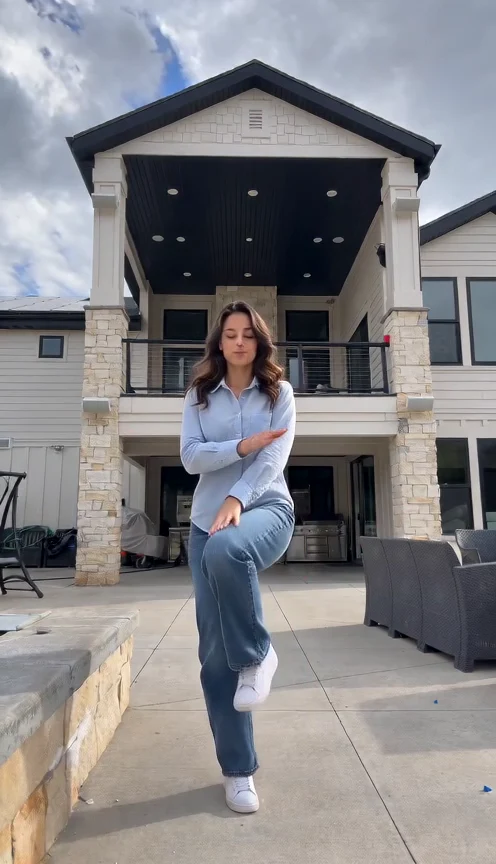
Real test with this fictional adult. The elevated view has no timestamp overlay; the table partly hides the legs, and the ending turns to a side/back view. The courtyard is invented. Face detail can vary.
History Surveillance Camera AI Video scene
Imagine a camera watching an ancient courtyard from one elevated corner. Your character enters, pauses beside a wooden table and looks toward the doorway. Muted colors and a fixed perspective create the surveillance mood. It is a fictional historical vignette, without a named ruler, documented incident, real archive or claim that a modern camera existed in antiquity.
Your History Surveillance Camera AI Video photo
Choose one clear adult portrait with visible hair and facial features. The preset supplies an original period-inspired robe, courtyard and quiet movement. No costume, action video or historical photograph is required. The face may be smaller than in a selfie because the camera shows the scene; compare it with the exact example input before choosing this style.
Make my scene · 15Review the complete scene
Check that the elevated camera stays fixed and the courtyard remains coherent as the person enters. Review the robe, arms and table before downloading. Label the result as an AI fictional reconstruction when sharing. Do not present it as recovered evidence or attach an unsupported historical date. This preset provides a single short scene, without documentary narration or a factual timeline.
Create in three steps
Upload your photo
Add one JPEG or PNG of an adult and confirm photo permission.
Check and generate
Sign in, review the current credit quote and press Generate once.
Watch and save
Watch the complete scene, check the face and surroundings, then download the MP4.
Questions before you create
What does History Surveillance Camera AI Video create?
An approximately eight-second vertical fictional scene starring the adult in your photo. A fixed elevated camera observes your fictional ancient courtyard entrance.
What do I upload?
One permitted adult photo. Sign in, review the current credit quote and press Generate once. The scene and movement are supplied automatically.
Is the setting a real place or event?
The environment is invented. It does not establish an address, property condition, personal history or documented historical event. Identify the result as AI fiction when sharing.
What are the format and cost?
A vertical 480p MP4, about eight seconds. Check the current quote before generating; each new attempt spends credits again.